



2026 Edition Professional 3D Printer Buyers Guide
Choosing the right 3D printer doesn't have to be difficult. Find the perfect printer for your application. This in-depth guide covers pricing, materials, dimensional accuracy, and more.
Download now Leading Tech Since 1997
 Dynamism Digital Manufacturing Fast and Professional on-demand 3D Printing Start Printing Now
Selective core reinforcement without full PEEK material overhead.
Z-polymers' multi material printing method doesn't reinforce parts with pre-made fibers, it forms them directly inside the part as it prints. Reinforcing fibers crystallize layer by layer within common engineering plastics like PC, PET, and PA, creating true composites on a standard dual-nozzle desktop printer.
The result:
PEEK-class performance without the PEEK price tag.
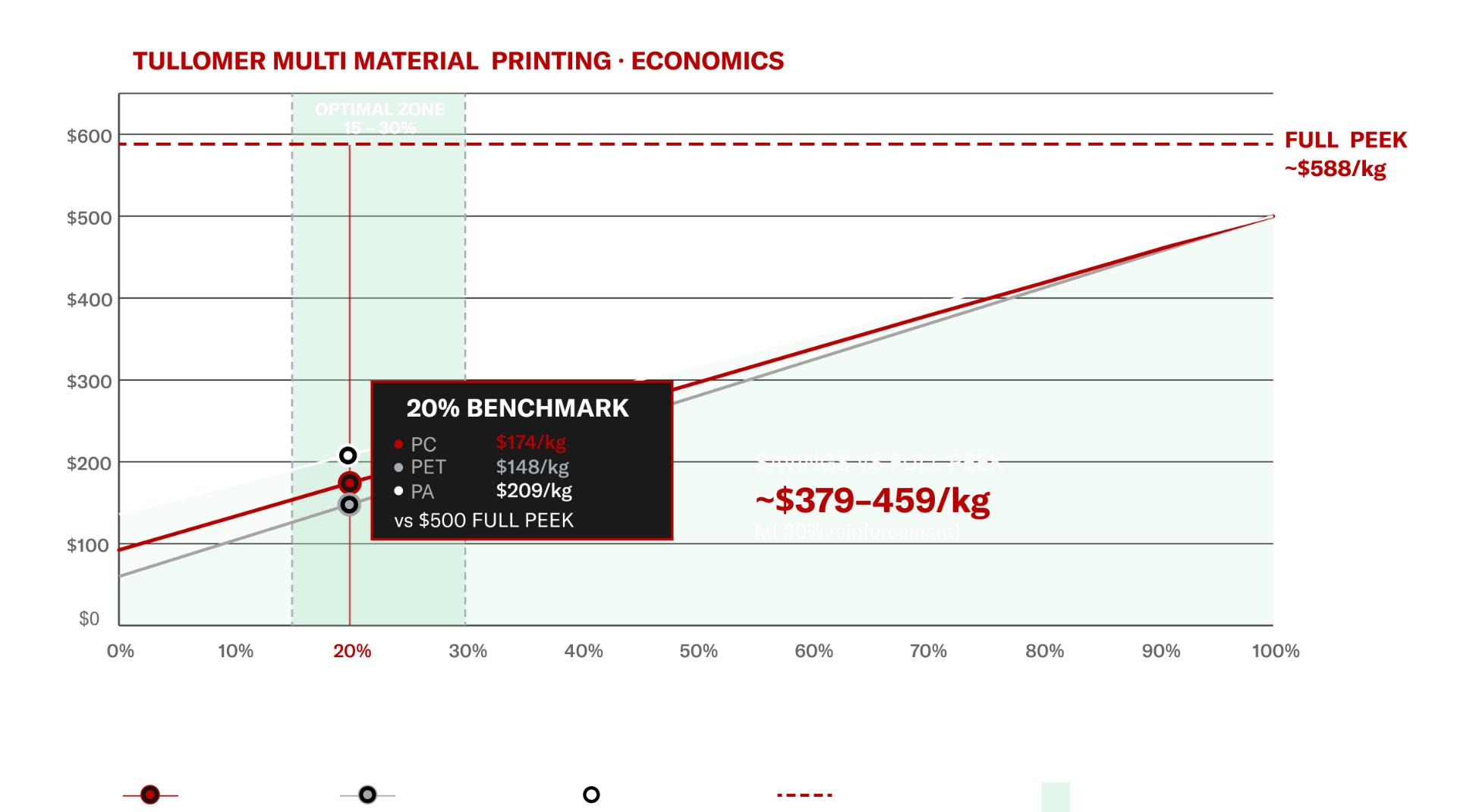
Tullomer's multi-material reinforcement strategy places high-performance polymer exclusively at structural load paths, with standard base polymer completing the shell. Blended material cost is reduced to $21–24/kg at 20% reinforcement ratios.
The 15–30% reinforcement window represents the optimized region: XY tensile performance meets or exceeds full PEEK benchmarks while blended cost remains significantly below full PEEK pricing.
High-temperature polymers require enclosed build environments and precise bed adhesion protocols. Uncontrolled thermal gradients produce part warping and inter-layer separation at critical interfaces.
Single-material high-temp prints frequently exhibit anisotropic failure at Z-axis boundaries. Layer bonding strength is the limiting factor in many structural applications.
Multi-hour prints accumulate thermal stress. Chamber temperature drift compounds warping probability and reduces first-print success rates on complex geometries.
Full-volume PEEK or equivalent high-temp material specifications impose $60–90/kg material costs regardless of load distribution in the actual geometry. The majority of print volume often sees minimal structural demand.
Z-Polymers Multi-Material Printing uses Beam Interlocking as reinforcement
Instead of using a basic core-and-shell approach, Z-Polymers Multi-Material Printing places Tullomer high-performance reinforcement exactly where strength is needed—along calculated load paths inside a precision engineering thermoplastic part.
The reinforcement is built into lattice beam structures and bonded through a controlled overlap zone, creating strong mechanical interlocking between the two materials.
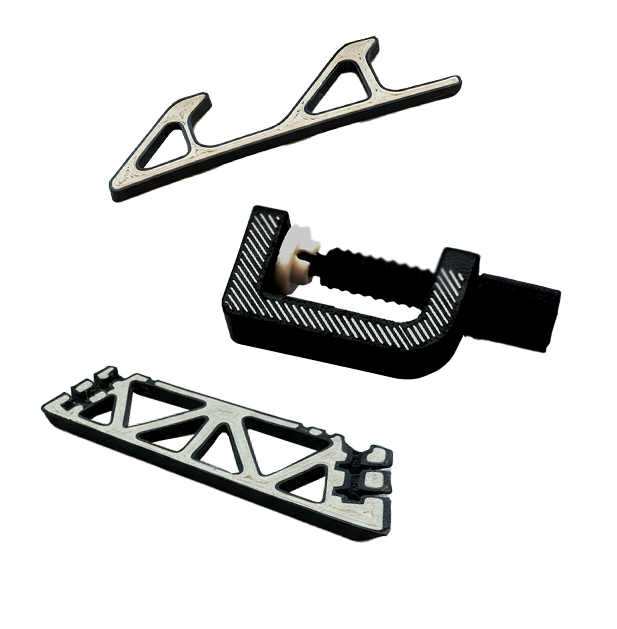
The result is not a part made of two independent materials — it is a unified composite structure.
Transfers load across layers and increases structural rigidity in targeted zones.
Maintains dimensional accuracy, surface quality, and optimized thermal management.
Creates mechanical anchoring between materials, enabling load transfer across the matrix.
STRENGTHENING 3D PRINTS: THE TULLOMER™ MULTI-MATERIAL WORKFLOW
Use the 'Shell' and 'Combine (Subtract)' features in your CAD software to define the separate reinforcement volumes. Save shell and core as discrete solid bodies.
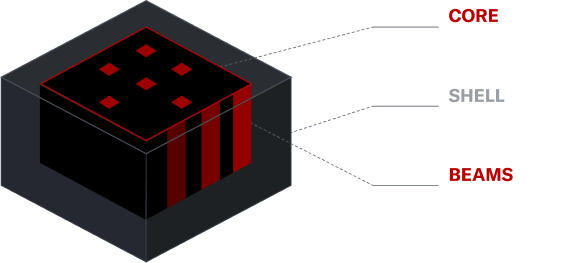
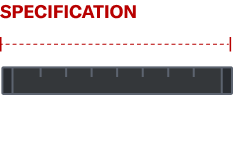
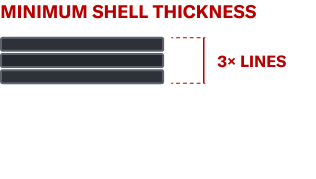
Save the shell and core as separate files for slicer import.
Import both files simultaneously and confirm they should be treated as one single object. Both bodies must share the same origin point.
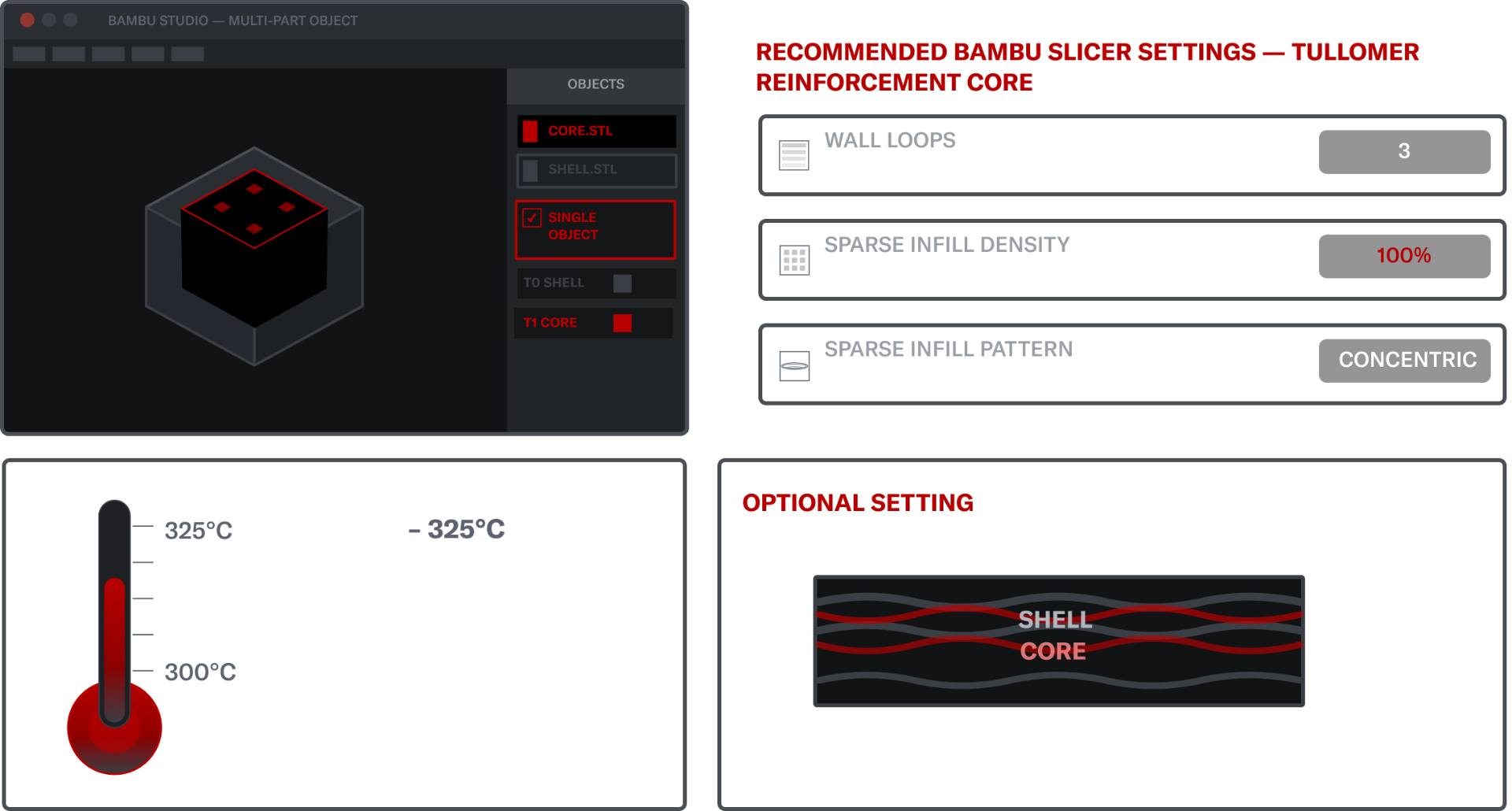
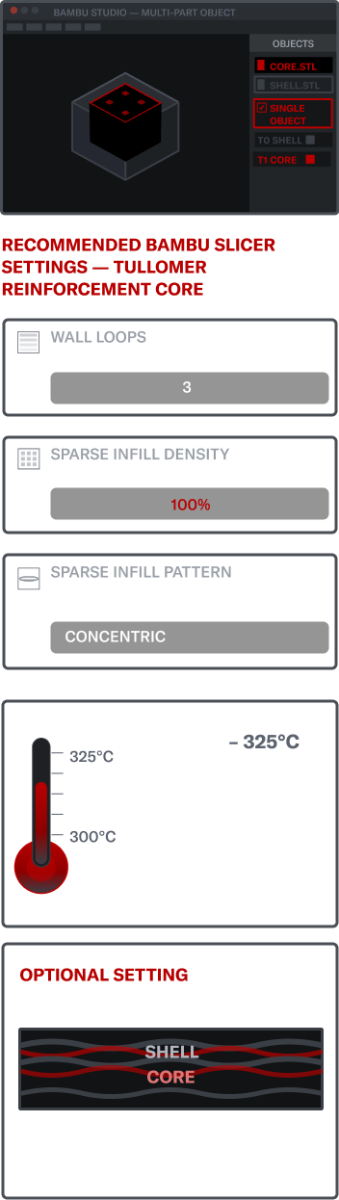
Bambu Studio's filament-per-feature assignment is hidden behind Developer Mode unlocking advanced per-object overrides, including setting a separate filament for sparse infill.
This is an in-development feature. For dual-nozzle printers without Bambu Studio, achieve the same result by splitting your model into shell and core bodies in CAD before slicing.





Joel Telling (3D Printing Nerd) demonstrates how multi-material printing on a Bambu printer reinforces Tullomer using beam interlocking. The method creates composite-like structure that absorbs impact and resists failure.
Founded in 1997, we bring next-generation technology to customers, with an emphasis on expertise and white-glove service. Showrooms in Chicago, Detroit, Tokyo, and Seoul.
The leading national supplier of Desktop 3D printers. Expertise in both Industrial and Desktop 3D printing. Supplier of next-generation Metal, SLS, ultrafast Industrial printers.
2026 Edition Professional 3D Printer Buyers Guide
Choosing the right 3D printer doesn't have to be difficult. Find the perfect printer for your application. This in-depth guide covers pricing, materials, dimensional accuracy, and more.
Download now