
Aerospace production doesn’t leave much room for error. Every jig, fixture, and tool on the floor has to meet the same standard as the parts it helps produce. Traditionally, that has meant slow, expensive tooling cycles through outside machine shops. Airbus, however, took a different approach: bringing 3D printed jigs and fixtures in-house.
Key Takeaways
Airbus uses UltiMaker 3D printers and Cura software to produce tools, jigs, and fixtures at its European manufacturing facilities.
It also prints lightweight design parts from composite materials.
The same pattern applies across aerospace and defense: jigs, fixtures, inspection gauges, and assembly aids made on-site.
What Is Airbus Using 3D Printing For?
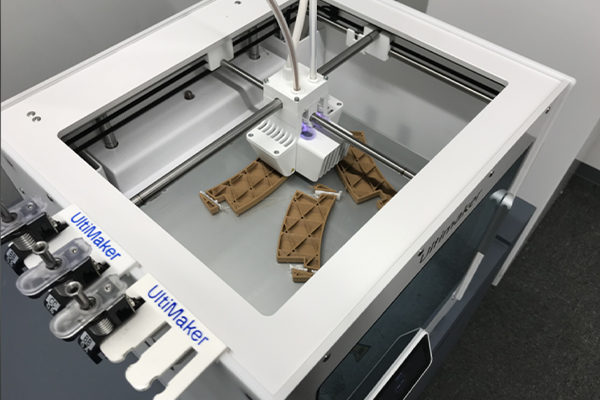
Airbus uses UltiMaker 3D printers and Cura software to locally produce tools, jigs, and fixtures at its European manufacturing facilities, along with lightweight design parts made from composite materials. As a result, engineers don’t route every tooling need through traditional manufacturing. Instead, they design, print, and deploy what they need directly on the floor.
Why 3D Printed Jigs and Fixtures Fit Aerospace Manufacturing
A few things make this approach a particularly strong fit for aerospace production environments:
Consistency and repeatability. Jigs, fixtures, and tooling used in aerospace production need to produce the same result every time. Printed tools offer that consistency without the lead time of machining a new one from scratch.
Weight matters everywhere in aerospace. Composite materials let engineers produce lightweight parts that hold up to production demands without adding mass. In most other sectors, that consideration doesn’t carry the same weight (literally).
In-house iteration speed. When a jig needs a design tweak, an added handle, or a modified fit, the change can go from CAD to printed part the same day. In contrast, an external vendor’s queue can take weeks.
3D Printed Jigs and Fixtures Across Aerospace and Defense
This isn’t unique to Airbus. In fact, across aerospace and defense manufacturing, the same tooling categories keep showing up: custom jigs and fixtures, inspection gauges, assembly aids, and on-demand replacement tooling. All of them can be made on-site. Moreover, each one can be improved the moment feedback from the floor identifies a problem. Similarly, defense maintenance teams follow the same model; see how defense teams are using 3D printing in the field.
Where Dynamism Fits
As an authorized reseller, Dynamism helps aerospace and defense manufacturers identify the right printer and materials for production-floor tooling, from the S-series platform used in examples like this to the higher-throughput Factor line for continuous production. For programs with data-security requirements, the UltiMaker Secure line adds air-gapped, USB-only operation.
Airbus uses UltiMaker 3D printers and Cura software to locally produce tools, jigs, and fixtures, along with lightweight composite parts, at its European manufacturing facilities.
Why are jigs and fixtures a common 3D printing application in aerospace manufacturing?
They require part-to-part consistency and often need frequent design iteration, both of which 3D printing supports without the lead time of external machining.
Can 3D printed parts meet aerospace material and weight requirements?
Composite materials used in aerospace-grade 3D printing are selected to balance strength with reduced weight, an important factor given how directly weight affects aerospace production and performance.
What printer types are used for aerospace production tooling?
Applications range from desktop-class systems like the UltiMaker S-series for smaller jigs and fixtures to higher-throughput industrial platforms like the Factor line for continuous production environments.
If your facility handles Controlled Unclassified Information (CUI), NIST 800-171 covers more than servers and laptops. In fact, NIST 800-171 applies to the 3D printer on your production floor, along with every other networked device in your environment.
It’s an easy thing to overlook. A printer making jigs and fixtures doesn’t feel like the same category of risk as a workstation handling engineering data. But if that printer connects to your network, logs to the cloud, or moves files in ways you can’t fully account for, it’s a device your compliance program needs to cover, whether or not anyone has thought to ask about it yet.
Key Takeaways
NIST 800-171 applies to any networked 3D printer in an environment that handles CUI.
Compliance requires documented controls: network isolation, no unauthorized data transmission, and auditable file handling.
Air-gapped (USB-only) printers remove the network as an exposure path; LAN-only may not satisfy stricter frameworks.
Getting it right also unlocks on-demand, same-day tooling from a validated digital catalog.
Does NIST 800-171 Apply to a 3D Printer?
Yes, if the printer is a networked device operating in an environment that handles CUI. NIST 800-171 requires documented controls on networked devices: not vague assurances, but specifics your compliance program can point to. For a NIST 800-171 3D printer setup, that typically comes down to a few concrete things:
Network isolation. Does the printer need to be on your network at all, or can it operate air-gapped, with files moving only by USB?
No unauthorized data transmission. If a printer phones home for firmware updates, usage telemetry, or cloud-based slicing, that’s a data path someone has to account for.
Auditable file handling. Can you show, if asked, exactly how a design file moved from CAD to printed part, and confirm it didn’t touch anything outside your controlled environment along the way?
Why Manufacturing Tools Fly Under the Compliance Radar
It’s worth being precise about what’s being discussed here. These aren’t the machined molds used to churn out thousands of injection-molded parts. They’re the specialized devices that make technicians and engineers more effective: custom jigs, fixtures, inspection gauges, and organizers built for a specific line, part, or fix.
That specificity is exactly why they tend to escape compliance reviews. They look more like shop tools than IT assets, even though, functionally, a networked printer is a networked device either way.
The Case for On-Demand Tooling Under a Compliance Regime
There’s an operational upside to getting this right beyond passing an audit. Facilities that maintain a digital catalog of 3D-printable tools and parts can produce validated components on demand instead of maintaining physical inventory, and when a jig needs a design revision, that change can be tested and reprinted the same day.
The tradeoff is that every one of those advantages depends on the printer being something your security program can actually document and control, not a gap you’re hoping nobody asks about.
Where Dynamism Fits
As an authorized reseller, Dynamism helps regulated manufacturers evaluate which printer setup (air-gapped, LAN-only, or standard) actually matches what their compliance program requires, rather than guessing after the fact. The UltiMaker S8 Secure is built for air-gapped, USB-only operation with no Wi-Fi or cameras.
Yes, if the printer is a networked device operating within an environment that handles Controlled Unclassified Information (CUI). NIST 800-171 requires documented security controls on all networked devices, not just traditional IT equipment.
What makes a 3D printer setup compliant with NIST 800-171 requirements?
Key factors include network isolation or air-gapped, USB-only operation; no unauthorized data transmission such as cloud logging or telemetry; and auditable file handling that can be documented for a compliance review.
Is a standard, cloud-connected 3D printer a compliance risk in a regulated facility?
It can be, if the facility handles CUI or similar controlled data. A printer that transmits usage data, connects to a manufacturer’s cloud, or accepts jobs without access controls introduces a data path that must be accounted for like any other networked device.
What’s the difference between air-gapped and LAN-only printing for compliance?
Air-gapped means the printer has no networking hardware capable of reaching an external network, so files move only by USB. LAN-only means the device still has network hardware but is configured to stay off the internet, which may not satisfy stricter compliance requirements depending on the framework.
Federal procurement moves slowly, and additive manufacturing is still a relatively new line item for many agencies. So instead of what’s theoretically possible, look at what’s already happened. When evaluating 3D printers for federal agencies, one benchmark stands out: US Navy and Marine bases worldwide now use UltiMaker 3D printers, purchased under a $5 million IDIQ (Indefinite Delivery, Indefinite Quantity) contract.
That’s not a pilot program or a single-unit trial. It’s a procurement vehicle already moving hardware into federal facilities at scale, proof that this equipment has already cleared the bar federal buyers care about most.
Key Takeaways
UltiMaker printers are deployed at US Navy and Marine bases worldwide under a $5M IDIQ contract.
Federal facilities require full data control: no unauthorized transmission and no cloud logging of print files.
The UltiMaker S6 Secure and S8 Secure are air-gapped, USB-only, TAA compliant, and GSA ready.
Purchasing paths include departmental budgets (with an ROI case) and DOD requisition programs.
What Does a $5M IDIQ Contract Signal to Federal Buyers?
An IDIQ contract signals something specific: an agency has already vetted a vendor and a product line, then structured a vehicle to draw from repeatedly without re-running procurement every time a base needs another printer. In other words, for a government agency or federal facility evaluating options, that’s a meaningful signal. This isn’t unproven hardware trying to find its first federal customer.
What Full Control Over Data Actually Requires
Meanwhile, federal and defense facilities operate under a constraint that’s easy to overlook until it’s your problem: no unauthorized data transmission, and no cloud-based logging of print files. A printer that phones home by default, even for something as mundane as usage telemetry, introduces a data path that doesn’t belong in these environments.
As a result, that requirement drives the UltiMaker Secure line’s core design: air-gapped, USB-only workflows, no Wi-Fi, no cameras. Files move in and files move out, and nothing leaves the facility without someone physically carrying it out.
Choosing 3D Printers for Federal Agencies: What to Look For
When evaluating a 3D printer for a federal or defense application, a few questions consistently come up:
Is there a secure or offline mode? A printer needs to function without depending on outside connectivity, full stop, not just “when convenient.”
Where is it manufactured, and by whom? Support continuity and supply chain trust both trace back to this. Made in a trusted country matters as much for a 3D printer as for any other piece of federal equipment.
Does it carry the compliance documentation procurement teams need? TAA compliance and GSA availability aren’t just checkboxes; they’re what lets a purchase move through federal acquisition without stalling.
How Do Federal Agencies Purchase 3D Printers?
Federal buyers don’t shop the way commercial buyers do. For that reason, it helps to understand the available paths before starting a purchase conversation:
Departmental budgets are the most common route, but often require building an ROI case that shows the cost and time savings a printer will generate, not just the sticker price.
DOD requisitioning programs vary by need: Program Office Items and the Table of Allowances for standard equipment, Tactical Ad-Hoc for situational needs, and the TLS Program, among other channels, each with its own process.
Every branch, and every country’s military, has its own requisition specifics. That’s exactly where working with an authorized reseller who has navigated this before saves time.
Where Dynamism Fits
As an authorized UltiMaker reseller, Dynamism helps federal buyers identify the right printer for their application and understand how it fits their broader compliance and security requirements. The UltiMaker S6 Secure and S8 Secure are TAA compliant and GSA ready, built specifically for facilities where full control over data isn’t negotiable. For real-world applications, see 8 field-proven parts defense teams are 3D printing.
Are 3D printers already being used at federal facilities?
Yes. US Navy and Marine bases worldwide use UltiMaker 3D printers bought through a $5 million IDIQ contract, an active procurement vehicle rather than a pilot or trial.
What is TAA compliance, and why does it matter for a federal purchase?
TAA (Trade Agreements Act) compliance confirms a product is manufactured in the US or a designated country, which is typically required for federal purchases made through GSA channels.
How do federal agencies typically purchase 3D printers?
Common paths include departmental budgets, usually requiring an ROI case, and DOD requisitioning programs such as Program Office Items and the Table of Allowances, Tactical , provisional requests, and the TLS Program. Exact processes vary by branch and agency.
What should a federal buyer look for in a 3D printer beyond price?
Key considerations include a secure or offline operating mode, manufacturing in a trusted country for long-term support continuity, and documented compliance such as TAA and GSA availability.
3D printing in healthcare has grown well past prototyping. Anatomical models built from a patient’s CT or MRI scans, surgical guides, custom splints and braces, and on-demand replacement parts for equipment are now common applications, often produced faster than traditional manufacturing allows.
That growth brings a problem that’s easy to underestimate: nearly every one of those applications starts with patient data. A CT scan converted into a printable file can still be protected health information, so hospitals have to treat print files, and the printers that produce them, with the same HIPAA safeguards as any other system that handles patient information.
Key Takeaways
Healthcare 3D printing applications (anatomical models, surgical guides, splints, braces) often start from patient imaging data.
Once patient data becomes a print file, every system it touches, including the printer, should be treated as part of the HIPAA compliance boundary.
Key questions: where the file goes, who can access the print queue, and whether the printer transmits any data.
Healthcare shares technical principles with defense-grade security but centers on protecting patient health information.
Why Healthcare Is a Different Kind of Regulated Environment
Most regulated environments a 3D printer might operate in, such as defense facilities, federal agencies, and regulated manufacturing floors, are primarily concerned with protecting design files and intellectual property. Healthcare adds a second, distinct layer: HIPAA compliance and patient data protection intersect directly with the production process itself.
That changes what “secure” needs to mean. It’s not just about keeping a design from leaking to a competitor; it’s about ensuring a workflow that touches patient-specific medical imaging doesn’t create a compliance gap somewhere between the scan and the printed part.
How Are Healthcare 3D Printing Programs Protecting Patient Data?
Most programs keep patient-derived print files on internal systems, limit who can access the print queue and file library, remove patient identifiers where possible, and choose printers that don’t send job or usage data to the cloud.
Vendors are already building around these challenges. RICOH 3D for Healthcare, for example, offers hospitals biomedical engineers who segment DICOM imaging files, quality control processes for model accuracy, and an FDA-cleared workflow for anatomical models, positioning its service as a way to avoid the regulatory hurdles of setting up in-house medical device production.
The point isn’t the specific vendor. It’s what their existence signals: healthcare systems bringing 3D printing in-house keep running into the same set of problems, and data security sits right alongside clinical accuracy as a first-order concern, not something bolted on afterward.
What Should You Ask Before Deploying a 3D Printer Near Patient Data?
Where does the design file go once it leaves the scanner? If patient imaging data is converted into a print file, every system that file touches should be treated as part of your HIPAA compliance boundary.
Who has access to the print queue and the file library? A shared or cloud-connected workflow needs the same access controls as any other system handling protected health information.
Is the printer itself a data risk, or a contained endpoint? A printer that logs usage data to the cloud, or accepts jobs from unverified sources, introduces a data path your security program has to account for, just like any other networked device.
What Should Hospitals Look for in a Secure 3D Printer?
As facilities weigh how to bring 3D printing in-house without creating a compliance gap, evaluating the security posture of the hardware itself is part of that conversation, not separate from it. Air-gapped, USB-only systems like the UltiMaker Secure line remove the network as an exposure path entirely.
Does HIPAA apply to 3D printing workflows in healthcare?
Yes, if patient-specific data, such as CT or MRI imaging converted into a print file, is part of the workflow. Any system that file touches, including the 3D printer itself, should be treated as part of the HIPAA compliance boundary.
What medical applications is 3D printing used for today?
Common applications include anatomical models built from a patient’s CT or MRI scans, surgical guides, custom splints and braces, and on-demand replacement parts for equipment.
What’s the biggest security consideration for hospitals bringing 3D printing in-house?
Controlling where patient-derived design files go, including print queue access, file storage, and whether the printer itself transmits any usage or job data externally.
Is a HIPAA-compliant printing workflow different from a defense-grade secure one?
The technical principles overlap (data control, access management, auditability), but healthcare compliance centers on protecting patient health information rather than intellectual property or export-controlled technical data.
Some of the most important work at research institutions today stays out of public view, and that’s exactly the point. Labs working on classified, sensitive, or export-controlled projects face a problem few discuss openly. How do you make the custom parts your research depends on without sending a design file outside the building? Increasingly, the answer is in-house 3D printing.
In other words, stop sending the file outside the building at all.
Key Takeaways
Outsourcing fabrication exposes sensitive designs to outside vendors; in-house printing removes that step entirely.
Sandia’s Rapid Development Connectors program targets functional connectors in under four weeks versus a year or more.
Los Alamos automated parts of its 3D-printed foam workflow, saving 20 hours of operator time per print plate.
Air-gapped, USB-only printers let labs work in complete isolation without improvised network policies.
The Problem With Outsourcing Sensitive Fabrication
Traditional prototyping and small-batch manufacturing usually means sending a design to an outside shop. That might be a machine shop, a specialty fabricator, or sometimes a supplier overseas. For most research, that’s a non-issue. However, for labs under classification requirements or handling export-controlled technical data, it’s a nonstarter. Every file that leaves the facility is a potential exposure point. Likewise, every outside vendor is one more party who has seen a design never meant to be public.
In-house 3D printing solves that problem structurally. Rather than adding another layer of policy, it removes the outside step entirely.
Do National Labs Use 3D Printing for Sensitive Research?
Yes. It’s already standard practice at some of the country’s most sensitive research institutions.
Sandia National Laboratories, a Department of Energy lab operating under the National Nuclear Security Administration, runs a Rapid Development Connectors program dedicated to using advanced manufacturing techniques, including 3D printing, to develop custom electronic connectors for weapons systems. The program aims to fabricate and deliver functional connectors in under four weeks. By comparison, conventional channels take a year or more, and the program keeps the quality standards the work demands.
Los Alamos National Laboratory has automated key parts of its 3D-printed foam research workflow used to support national security missions. As a result, it cut active operator time by 20 hours per print plate and generated far more data for the modeling work built on top of it. The specifics of what’s being modeled stay inside the lab. The efficiency gain from owning the fabrication process doesn’t have to.
Neither institution needs to publish what it’s building to make the underlying case. When a research institution controls its own fabrication end to end, it moves faster and iterates more. Plus, it never has to weigh a design’s sensitivity against a vendor’s turnaround time.
The In-House 3D Printing Principle for Research, Without the Details
What labs like these demonstrate, without disclosing a specific project, is a workflow principle any research institution handling sensitive work can apply:
Design stays local. Your files go from workstation to printer over your own network and never touch the cloud.
Iteration speed compounds. Faster fabrication cycles don’t just save time on one part; they change how much a research team can afford to test and revise.
Isolation doesn’t have to mean improvisation. An air-gapped, USB-only printer removes the need for ad hoc network policies around a device that shouldn’t touch a secure network anyway.
Where Dynamism Fits
For research institutions weighing in-house 3D printing without a new data risk, start with the question these labs already answered: does the hardware itself support working in complete isolation, or does it require building security around a device that wasn’t designed for it? The UltiMaker S8 Secure is built for the former.
Why would a research institution need a fully isolated 3D printer?
Labs working on classified, export-controlled, or otherwise sensitive projects need to prevent design files from leaving the facility. An air-gapped, USB-only printer removes the network as a possible exposure point entirely.
Do national labs actually use 3D printing for sensitive research?
Yes. Sandia National Laboratories runs a program using advanced manufacturing techniques, including 3D printing, to develop custom connectors for weapons systems, targeting delivery in under four weeks instead of over a year. Los Alamos National Laboratory has used 3D printing to accelerate foam research supporting national security missions.
What’s the difference between a standard lab printer and one built for isolated environments?
A standard printer may connect to Wi-Fi, a manufacturer’s cloud, or a camera for monitoring, any of which can create a data exposure path. An isolated-environment printer removes those features by design rather than relying on network policy alone.
Can bringing fabrication in-house speed up research, not just secure it?
Yes. Institutions that control their own fabrication can iterate on parts the same day rather than waiting on an external vendor, and that advantage compounds over the life of a research project.
When a critical part fails mid-mission, waiting weeks for a replacement isn’t an option. That’s the reality driving a quiet shift across defense units and DOD suppliers: defense 3D printing is moving from prototyping into field-deployed manufacturing, producing parts that used to mean a call to a machine shop, a six-week lead time, and a four-figure invoice.
Below are real applications pulled from actual deployments, not hypotheticals. Each one solves a specific operational problem, and each one comes with before-and-after numbers that make the case on their own.
Key Takeaways
Documented defense 3D printing applications cut part costs by roughly 80% to over 95%.
Lead times drop from weeks or months to hours or days, often on location.
Printed parts aren’t just placeholders: a printed composite winch link lifted a 12-ton armored personnel carrier.
For CMMC, DFARS, and ITAR facilities, the printer must be as secure as the part: air-gapped, USB-only, no cloud dependency.
Defense 3D Printing: The Headline Stories
1. Navy Cold Water Filter
The problem: Ships need a first-stage filter to keep seaweed, debris, and other material out of the seawater intake system. When a filter fails mid-mission and there’s no replacement aboard, the only options are going ashore or flying a part in by helicopter, and neither is available far out to sea.
The fix: Printed in PLA with a TPU spring component, the replacement filter has held up so well that the printed version is now the standard part on board.
Conventional
3D Printed
Material
Inconel
PLA / TPU
Cost
€1,600
€30
Lead time
2 months
1 day
Navy cold water filter: conventional vs. 3D printed
Eight of these filters are needed per ship. At those numbers, the cost case makes itself.
2. FRISC Antenna Base
The problem: The mounting base for the antenna on a high-speed interceptor boat was originally machined from aluminum, and aluminum corrodes fast in a saltwater environment, eventually breaking down the connectors it was meant to protect.
The fix: A glass-fiber-reinforced nylon replacement solved the corrosion problem outright, not just the cost problem, while adding the ability to swap between short- and long-range antenna configurations.
Conventional
3D Printed
Material
Aluminum
Glass-fiber nylon
Cost
€279
€45
Lead time
6 weeks
20 hours
FRISC antenna base: conventional vs. 3D printed
3. Rotinor Turbine Wrench
The problem: Maintenance on an underwater transport system required a specific custom wrench, the kind manufacturers charge a premium for because it’s a one-off tool with no standard equivalent.
The fix: Printed in carbon-filled nylon with a non-marring outer layer, the tool holds up to the maintenance job without damaging the equipment it’s used on, and can be reprinted on location wherever it’s needed.
Conventional
3D Printed
Material
Steel
Carbon-filled nylon
Cost
€1,100
€24
Lead time
12 weeks
13 hours
Rotinor turbine wrench: conventional vs. 3D printed
More Field-Ready Applications
The pattern holds across smaller, lower-dollar items too, proof this isn’t just a big-part story:
4. GPS/radio communication bracket: €120 → €25, customizable for different radio equipment, printed in carbon-filled nylon for impact and vibration resistance during transport.
5. EPI pen casing: €20 → €6, a rigid printed case with tactile indicators soldiers can identify in low-visibility conditions.
6. Binoculars fixture: a simple, low-cost printed mount that gives optics a fixed location across ships, lookout points, and vehicles.
7. Multi-key tool: printed sets replacing stainless steel keys at a fraction of the cost, with the ability to print exactly the number needed per operator.
8. Gasoline funnel extension: a chemical-resistant, semi-flexible printed part solving a spillage problem that didn’t have a good conventional fix at all.
Can 3D Printed Parts Handle Real Structural Loads?
Yes, and that’s what takes these applications beyond convenience. In one material-performance test, the Royal Dutch Navy used a carbon-fiber-composite winch link, printed on an UltiMaker S5, to lift a 12-ton M113 armored personnel carrier. It’s a direct demonstration that printed parts can hold up under genuine structural load, not just serve as placeholders.
On the maintenance side, the Royal Netherlands Air Force uses UltiMaker 3D printers to produce custom tooling for the upkeep of Chinook, Apache, NH90, and F-16 aircraft, putting printed tools directly into the maintenance workflow for some of the most demanding equipment in their fleet.
Why This Matters for Defense Contractors and DOD Suppliers
Every example above shares the same underlying logic: when the part isn’t in stock, isn’t in reach, or would take months to source through traditional channels, the ability to print it on-site in hours instead of weeks, at a fraction of the cost, isn’t a nice-to-have. It’s operational readiness.
For facilities operating under CMMC, DFARS, or ITAR requirements, there’s a second layer: the printer producing these parts needs to be as trustworthy as the part itself. That’s where an air-gapped, USB-only system like the UltiMaker S8 Secure earns its place: no wireless attack surface, no cloud dependency, and full control over where design files go.
What kinds of parts are defense units actually 3D printing today?
Real deployed examples include replacement filtration components, antenna mounts, custom maintenance tooling, communication brackets, and personal field gear, ranging from structural, load-bearing parts to smaller ergonomic and organizational items.
How much can 3D printing save compared to conventional manufacturing?
In documented defense cases, cost reductions ranged from roughly 80% to well over 90%, with lead times dropping from weeks or months to hours or days, depending on the part and material.
Can 3D printed parts hold up to real structural loads, or are they just for prototypes?
Yes, they can. In one material-performance test, a 3D printed carbon-fiber-composite winch link was used to lift a 12-ton armored personnel carrier, showing that printed parts can serve load-bearing roles, not just placeholder or prototype functions.
What should a defense contractor look for in a 3D printer for CMMC, DFARS, or ITAR environments?
Air-gapped, USB-only operation with no Wi-Fi or cameras, TAA compliance, GSA availability, and manufacturing in a trusted country are the core requirements most defense buyers evaluate first.
With over 20 years of experience in hardware , Dynamism helps engineers, labs, and manufacturers select the right additive technology for their application not just buy a printer. Use this 3D printer buyers guide to compare the three most common professional processes: material extrusion, vat photopolymerization, and powder bed fusion.
Choosing the wrong process is the most common and costly mistake in additive manufacturing. This 3D printer buyers guide breaks down each technology’s fundamental tradeoffs, cost, material capability, surface finish, and throughput, so you can make the right call before you buy.
Material Extrusion
A strand of thermoplastic filament is drawn through a heated nozzle. A motion system guides the nozzle to deposit layers one at a time. One of the most economical and material-diverse processes in additive manufacturing.
Best For: Functional prototypes, tooling, engineering-grade thermoplastics, education, high-volume throughput
Typical surface finish: Moderate layer lines visible, can be post-processed
Vat Photopolymerization
More commonly referred to as SLA or DLP. A build plate is lowered into a vat of photocurable resin where layers are cured from a light source below. Known for sharp edges, fine details, tight tolerances, and minimal visible layer lines.
Best for: Medical devices, dental, high-detail prototyping, casting patterns, biocompatible parts
Layers of powdered material are deposited fractions of a millimeter at a time. The material is then melted and fused using a heat source — typically a laser or electron beam. No support structures required; excellent for complex geometries.
Best for: Low-volume production, complex geometries, nylon and PA materials, functional end-use parts, metal
Function: Powder recovery station that keeps your SLS workflow clean and efficient. A sealed glovebox, automated powder transport, and compressed air system handle post-print processing without the mess .
Questions Dynamism’s application engineers hear most often when helping buyers find the right technology. This 3D printer buyers guide is updated for 2026.
Where do 3D printing models come from?
Almost all CAD modeling programs export an .STL file, which can then be read and 3D printed using a slicing program. CAD modeling programs are not traditionally included in a 3D printer purchase, but free options exist for beginners. Dynamism also offers a range of 3D scanners to digitize physical objects. There are many online repositories with hundreds of thousands of ready-to-print models available for download.
What is a slicing program?
A slicing program tells the 3D printer what to do. It takes the model file and slices it into hundreds of layers, each with specific instructions (toolpath) for the machine to produce that layer. Most desktop 3D printers include a free slicing program.
How fast are 3D printers?
Print speed varies significantly by technology, material, part quality, part size, and infill amount. Small models can take hours; medium to large designs can take days. Contact Dynamism Sales for specific print time estimates on your model — email sales@dynamism.com or call 1-800-711-6277.
What is DMOD — Dynamism Manufacturing On Demand?
DMOD is Dynamism’s in-house on-demand 3D printing service. Send a file, get professional parts — without owning hardware. Dynamism engineers handle the prototyping process with your needs and confidentiality in mind. DMOD is ideal for prototyping, bridge production, benchmarking new materials, and scaling to full production.
What 3D printing training does Dynamism offer?
Dynamism offers 1-on-1 Online Training covering FFF/FDM, SLA, and slicing are available at both basic and advanced levels. Training is designed to get your team operating confidently and is available on-site or remote. Sessions can be tailored to your specific printer and workflow.
Why choose Dynamism over buying direct from a manufacturer?
A printer manufacturer can only sell you their own machine, regardless of whether it’s the right process for your part. Dynamism selects from a full portfolio of technologies and brands, so the recommendation is driven by your application, not a single vendor’s inventory. Our engineers install on-site, train your team, and return for repairs and check-ins. One partner across FFF, resin, metal, and large-format, as your needs evolve, you scale with someone who already knows your operation.
Download the full 2026 Professional 3D Printer Buyers Guide as a free PDF.
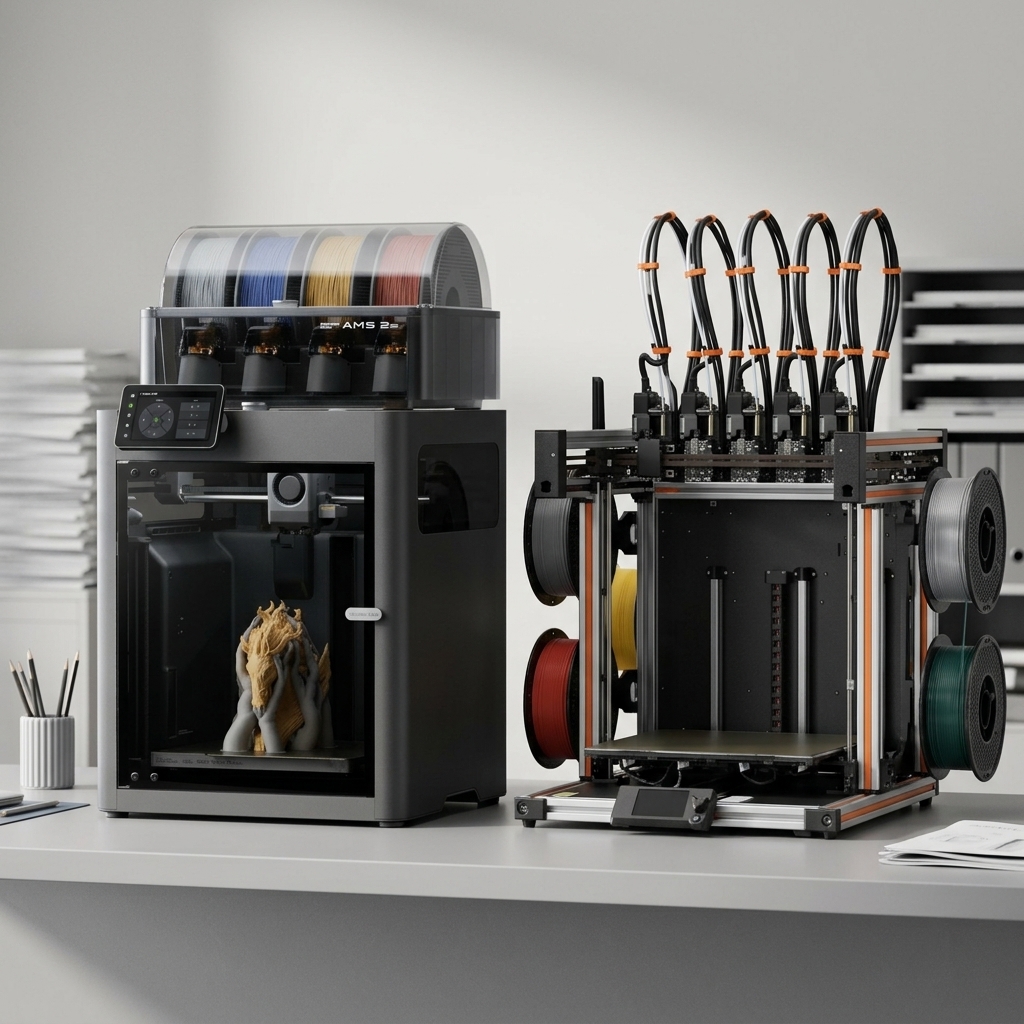
Choosing between Bambu Lab vs Prusa has become the defining decision for anyone entering the desktop 3D printing market in 2026.
Bambu Lab vs Prusa: The Two Titans of Desktop 3D Printing
Choosing between Bambu Lab vs Prusa has become the defining decision for anyone entering the desktop 3D printing market in 2026.
Both manufacturers have earned devoted followings, but for distinctly different reasons. Prusa built its reputation on open-source principles, meticulous engineering, and bulletproof reliability over more than a decade. Bambu Lab disrupted the industry in 2022 with aggressive pricing, impressive speeds, and a closed ecosystem that prioritizes user experience over tinkering and in 2026, they’ve continued to push the value story even further.
For educators building maker labs, small business owners scaling production, and prosumers demanding consistent results, understanding these differences matters. The right choice depends less on which printer is “better” and more on which philosophy aligns with your workflow, technical comfort level, and long-term goals.
This Bambu Lab vs Prusa comparison examines both brands across the metrics that matter most: print quality, speed, reliability, ease of use, material compatibility, and overall value. We focus primarily on the Bambu Lab P1S and X2D against the Prusa MK4S and XL, the sweet spot for serious users who need production-ready performance without industrial-grade budgets.
Quick Comparison: Bambu Lab vs Prusa at a Glance
Feature
Bambu Lab P1S
Bambu Lab X2D
Prusa MK4
Prusa XL
Price
$549
$649 / $899 combo
$999 assembled / $709 kit
$2,299 / $4,499 assebled 5 tool head
Print Speed
250-300mm/s
250-300mm/s
Up to 200mm/s
100-150mm/s
Build Volume
256×256×256mm
256×256×256mm
250×210×220mm
360×360×360mm
Enclosure
Yes
Yes, actively heated to 65°C
Optional
Optional
Multi-Material
AMS (up to 4)
AMS (up to 25 colors)
MMU3 (up to 5)
Up to 5 toolheads
Open Filament
Partial
Partial
Yes
Yes
Open Source
No
No
Yes
Yes
Best For
Prosumers, business
Advanced, dual nozzle
Educators, tinkerers
Large format, education
Print Quality and Speed: Different Approaches to Excellence
When it comes to the Bambu Lab vs Prusa decision, the right choice depends on your specific workflow and priorities. Both manufacturers deliver exceptional print quality, but they achieve it through contrasting engineering philosophies.
Prusa’s approach emphasizes mechanical precision and proven technology. The MK4S the 2025 evolution of their flagship MK4 features a refined 360° cooling system, a high-flow Nextruder, and numerous firmware optimizations that deliver faster speeds without sacrificing accuracy. Independent tests gave the MK4S a perfect 30/30 score for print quality from TechRadar, and CNET named it “The Best Printer for Quality.” Prints emerge with smooth surfaces, accurate dimensions, and predictable results across various geometries.
Bambu Lab prioritizes speed without sacrificing quality. The P1S and X2D utilize CoreXY motion systems, sophisticated vibration compensation, and AI-powered flow calibration to achieve print speeds of 250–300mm/s routinely. A benchy that takes over 40 minutes on the MK4S finishes in under 20 minutes on the P1S with comparable surface quality. The difference becomes stark for production runs or classroom environments where throughput matters.
The X2D takes this further with a dual nozzle system, a direct drive main nozzle for precision and a Bowden auxiliary nozzle for support and multi-material work. Combined with 31 sensors, a toolhead camera for AI print monitoring, and an actively heated chamber reaching 65°C, the X2D is Bambu’s most capable machine to date.
For absolute detail on miniatures or small-scale prototypes, both perform admirably at slower speeds. Prusa’s open-source slicer gives advanced users granular control over acceleration and jerk settings. Bambu’s proprietary Bambu Studio applies machine learning to optimize paths automatically, brilliant for most scenarios but offering less manual override for edge cases.
Bambu Lab prints 2-3x faster with comparable quality. Prusa’s MK4S delivers exceptional accuracy and has earned top marks from independent reviewers. For production environments, Bambu’s speed advantage compounds significantly over time.
Reliability and Maintenance: Open vs. Closed Ecosystems
Reliability means different things depending on your technical capabilities and support infrastructure.
Prusa has earned near-legendary status for reliability. The MK4S builds on years of field-tested engineering with fully documented components, transparent firmware, and a massive community knowledge base. Prusa ships around 10,000 printers per month and reports a claim rate of less than 1%. When something breaks and everything eventually breaks replacement parts are readily available, often from third-party suppliers. For schools and small businesses without dedicated technical staff, knowing you can diagnose and fix issues with community documentation provides immense peace of mind.
Bambu Lab printers are engineered for reliability through tight integration rather than user serviceability. The closed ecosystem means fewer variables, and quality control has proven solid across multiple product generations. The X2D adds 31 sensors including filament runout, grinding, and tangle detection, proactive monitoring that catches issues before they become failed prints. However, when issues do arise, you are dependent on Bambu’s support infrastructure and proprietary parts. For institutions requiring guaranteed uptime, this is a legitimate consideration.
Both manufacturers offer multi-material systems Prusa’s MMU3 (up to 5 colors) and Bambu’s AMS. Bambu’s AMS implementation on the X2D supports up to 25 colors with faster purges and better waste management than the previous generation. The Prusa XL takes a different approach entirely with true independent toolheads up to 5 allowing near-zero-waste multi-material printing without purge towers.
Prusa is easier to repair and has stronger community support. Bambu requires less frequent maintenance but creates more manufacturer dependency when issues arise. The X2D’s 31-sensor system catches problems proactively.
Materials, Ecosystem, and Long-Term Value
Material compatibility reveals each manufacturer’s strategic priorities.
Prusa maintains an open-filament philosophy. The MK4S handles PLA, PETG, ASA, PC, flex, and more with published profiles. You can use any filament from any manufacturer without restriction, which significantly reduces operating costs and eliminates vendor lock-in. Prusa’s open-source PrusaSlicer includes over 180 tested material profiles.
Bambu Lab technically supports third-party filaments, but the ecosystem strongly encourages Bambu-branded materials. RFID tags auto-configure settings, and Bambu Studio’s profiles are optimized for their filaments. For high-temperature engineering polymers, the X2D’s actively heated chamber reaching 65°C and support for PC, nylon, and carbon-fiber composites through the main nozzle provide genuine advantages.
The pricing story in 2026 has shifted dramatically in Bambu’s favor. The Prusa MK4S assembled now retails at $925 while the Bambu P1S starts at $549 and the flagship X2D at $649. Even the Prusa XL, which received a 2026 price drop, sits at $2,299 for the single toolhead setup. Bambu is delivering comparable or faster print quality at significantly lower entry points. For buyers weighing value per dollar, the math has changed.
However, total cost of ownership tells a more complete story. Prusa’s open filament ecosystem typically yields lower per-kilogram material costs. Bambu’s faster print speeds reduce electricity costs and increase throughput value. For educational institutions, Prusa’s open-source curriculum resources and established educator community provide significant intangible value. For small businesses focused on production efficiency, Bambu’s combination of speed and price is increasingly difficult to argue against.
Bambu Lab’s 2026 pricing makes it one of the strongest value propositions in desktop 3D printing. Prusa’s open filament ecosystem reduces long-term material costs and the XL’s true multi-material toolchanger remains unmatched for zero-waste multi-color work.
Which Printer Matches Your Needs?
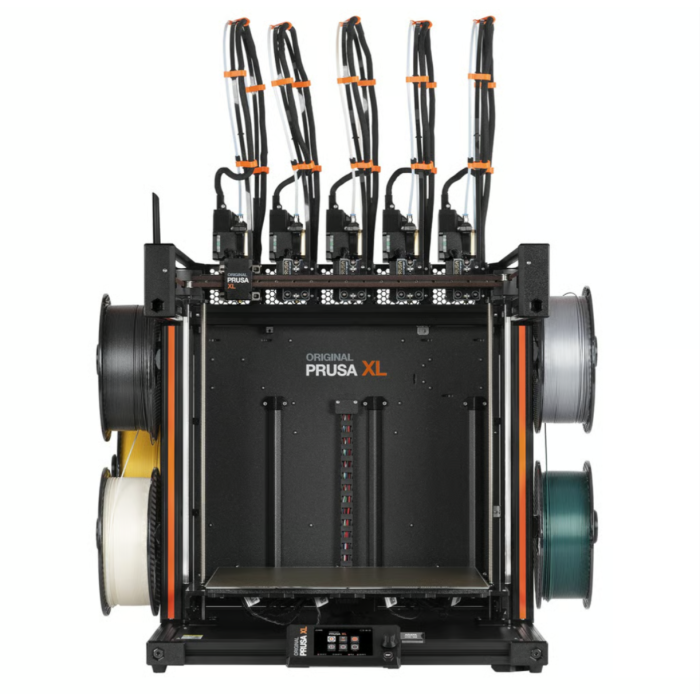
The Original Prusa XL with five independent toolheads.
Choose Prusa if you:
Value open-source principles and long-term repairability
Need comprehensive community support and documentation
Prefer vendor-neutral filament sourcing
Operate in educational settings emphasizing learning over production
Need zero-waste multi-material printing (Prusa XL)
Have technical users comfortable with maintenance and troubleshooting
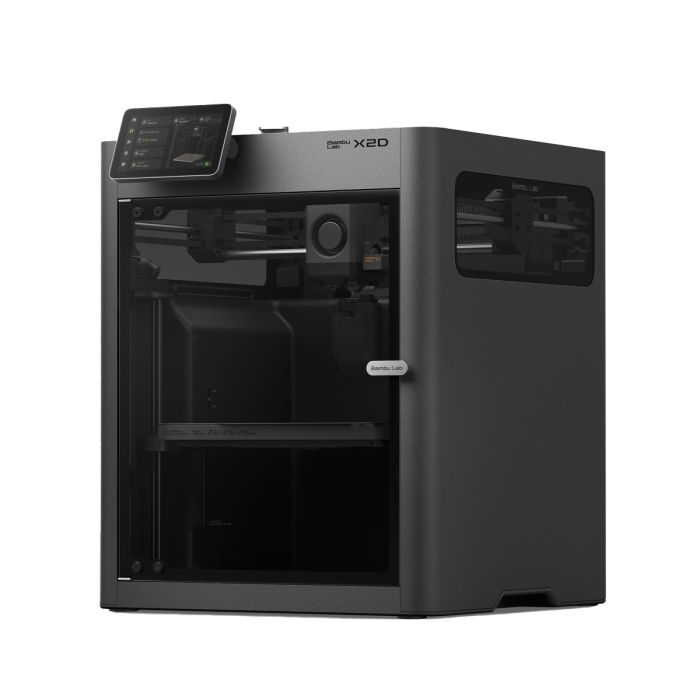
The Bambu Lab X2D — dual nozzle, actively heated chamber, and AMS support for up to 25 colors starting at $649.
Choose Bambu Lab if you:
Prioritize print speed and production throughput
Want minimal setup and excellent out-of-box experience
Need multi-color printing up to 25 colors (X2D with AMS)
Need dual nozzle capability for complex multi-material work (X2D)
Want reliable performance with limited technical expertise on staff
Are working within a tighter budget, Bambu offers more speed per dollar in 2026
Frequently Asked Questions
Is Bambu Lab better than Prusa?
Neither is objectively better, they serve different users. Bambu Lab is better for speed, ease of use, and production throughput. Prusa is better for repairability, open-source flexibility, and educational environments. The right choice depends entirely on your priorities.
Can Bambu Lab printers use third-party filament?
Yes, but with limitations. Bambu Lab printers technically support third-party filaments but the ecosystem is optimized for Bambu-branded materials with RFID auto-configuration. Custom profiles can be created but require additional setup and experimentation.
Which is more reliable, Bambu Lab or Prusa?
Both are reliable but in different ways. Prusa has a longer track record, fully documented components, and superior community support for self-repair. Bambu Lab has fewer maintenance issues out of the box but is more dependent on manufacturer support when problems arise.
Is Prusa good for beginners?
Prusa is beginner-friendly with excellent documentation and community support, though it requires more hands-on involvement than Bambu Lab. For users who want a true plug-and-play experience, Bambu Lab offers a more streamlined out-of-box setup.
Which 3D printer is best for schools and education?
Prusa is generally preferred for educational settings due to its open-source curriculum resources, repairability, vendor-neutral filament compatibility, and strong community. However, Bambu Lab’s ease of use and significantly lower price point in 2026 make it increasingly popular in classrooms focused on design output and throughput rather than printer maintenance and tinkering. Prusa is beginner-friendly with excellent documentation and community support, though it requires more hands-on involvement than Bambu Lab. For users who want a true plug-and-play experience, Bambu Lab offers a more streamlined out-of-box setup.
What is the Bambu Lab X2D?
The Bambu Lab X2D is Bambu’s current flagship desktop 3D printer, featuring a dual nozzle system (direct drive main + Bowden auxiliary), an actively heated chamber up to 65°C, 31 sensors including AI print monitoring via a toolhead camera, and AMS support for up to 25 colors. It starts at $649 for the printer or $899 as a combo with the AMS.
READY TO DECIDE?
Dynamism carries the complete range of Bambu Lab and Prusa 3D printers, filaments, and accessories. Our team has hands-on experience with both ecosystems and can help match the right platform to your workflow, budget, and use case.
Inside Formlabs’ R&D Workflow: Combining SLA 3D Printing with the Mayku Multiplier for Faster, Scalable Product Development
Time is one of the most valuable resources for research and development teams. Whether you’re prototyping a new component or preparing for low-volume production, the goal is always the same: to find the most efficient path to a working solution without compromising quality. That’s where hybrid manufacturing comes in.
By combining SLA 3D printing with pressure forming, companies like Formlabs are unlocking faster, more flexible ways to build, iterate, and scale.
What Is Hybrid Manufacturing?
Hybrid manufacturing refers to the integration of multiple fabrication technologies such as combining resin-based SLA 3D printing with desktop pressure forming into a single workflow. While 3D printing is ideal for rapid prototyping and custom part production, pairing it with pressure forming allows teams to move seamlessly into short-run production using durable, functional materials.
This powerful combination reduces turnaround times, lowers production costs, and improves surface finish and part performance making it especially valuable for engineering teams transitioning from prototypes to real-world applications.
Why Formlabs Combines SLA Printing and Pressure Forming
Formlabs, a global leader in professional desktop 3D printing, doesn’t just sell cutting-edge technology, they use it. Inside their Boston-based headquarters, Formlabs’ R&D team relies on hybrid manufacturing to prototype, test, and produce parts entirely in-house.
Their full-stack machine shop includes CNC machining, laser cutting, casting, and SLA 3D printers, all of which empower engineers to maintain complete control over the product development cycle. By integrating the Mayku Multiplier, a compact desktop pressure former, into their workflow, Formlabs has dramatically increased both the speed and scalability of their prototyping process.
The Power of the Mayku Multiplier in Formlabs’ Workflow
A standout example of this approach was the development of a protective IR sensor cover for the new Form 4 printer. The part needed to be both durable and precisely formed to prevent resin leaks that could damage sensitive components.
To solve the challenge, the Formlabs team used their SLA 3D printers to create accurate molds and then leveraged the Mayku Multiplier to pressure-form thermoplastic covers. The result? A functional prototype completed in just days without the need for costly outsourcing or long lead times.
Faster Prototyping With SLA Molds and Pressure Forming
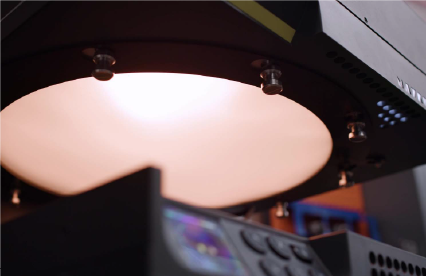
Mayku Multipler heating up material
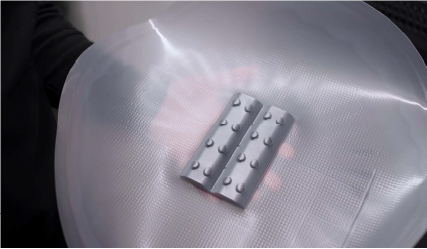
Multiplier pressure formed IR sensor covers on a Formlabs SLA 3D printed mold.
By pairing SLA-printed molds with pressure-formed parts, the Formlabs team rapidly iterated through designs, testing each version in real-world conditions. What would typically take weeks via third-party vendors was completed in-house in a fraction of the time. This hybrid approach turned a traditionally linear process into an agile, feedback-driven workflow.
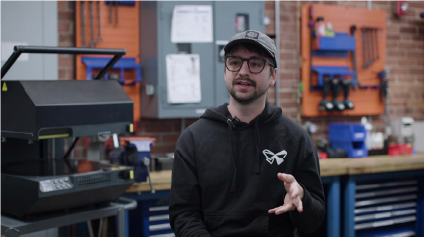
“Being able to go from idea to prototype in a day or two changes how we work,” said Mechanical Engineer Jennifer Lu. “It lets us test faster, learn faster, and stay focused on building a better product.”
Real-World Results: Same-Day Prototyping With Mayku and Formlabs
The Mayku Multiplier delivered production-quality parts even on intricate geometries making it a reliable tool for daily use. Its ability to form parts quickly and in high detail helped the Formlabs team speed up testing, reduce iteration time, and boost product development velocity.
Franko Kosic-Matulic, Machine Shop Coordinator at Formlabs.
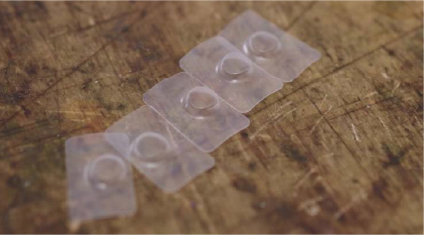
The finished pressureformed sensor cover after postprocessing
“We can definitely rely on the Multiplier to give us really high detail and also form quickly and produce a lot of parts,” said Machine Shop Coordinator Franko Kosic-Matulic.
What Hybrid Manufacturing Means for Engineers and Product Developers
The collaboration between Formlabs and Mayku is a compelling example of how hybrid manufacturing can elevate modern product development. By combining SLA 3D printing with pressure forming, engineers gain access to a faster, more repeatable, and cost-effective workflow ideal for prototyping, testing, and small-batch production.
Whether you’re a mechanical engineer, industrial designer, or lab manager, this approach shows how the right combination of tools can transform the way you work.
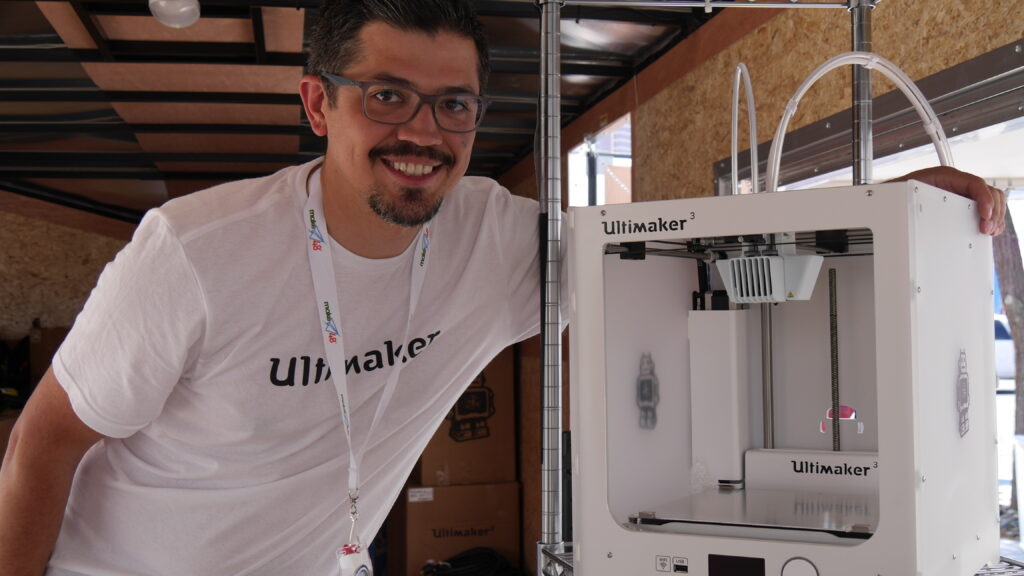
At Dynamism, we’re passionate about helping our customers succeed in additive manufacturing. Whether it’s schools, makerspaces, or businesses, our goal is to provide the tools and resources they need to innovate and grow. We’ve been deeply involved in education, working with schools, universities, and makerspaces to build impactful print labs that foster creativity and hands-on learning. We believe 3D printing is a key part of STEM education, helping students develop problem-solving skills and think like innovators. That’s why we’re excited to sponsor Make48 2025, alongside Ultimaker and MakerBot! This partnership reflects our commitment to supporting creators, problem solvers, and future innovators with the tools they need to bring their ideas to life.
What is Make48?
Make48 is an intense 48-hour invention challenge where teams of makers, engineers, designers, and everyday problem-solvers compete to turn ideas into tangible prototypes. Participants are given a real-world challenge and access to a wide range of tools, mentors, and resources to create working prototypes. The event ends with presentations of each team’s product to a panel of judges, with winners receiving opportunities to take their inventions even further.
Why Dynamism is Sponsoring Make48
At Dynamism, we’re all about helping innovators push the boundaries of what’s possible with 3D printing. That’s why we’re excited to support Make48—it’s a perfect fit with our mission. This competition gives creative minds the chance to tackle real-world challenges using cutting-edge tools. By teaming up with Ultimaker and MakerBot, we’re making sure participants have access to top-tier 3D printing technology to bring their ideas to life, faster and more efficiently.
How Ultimaker and MakerBot Elevate the Challenge
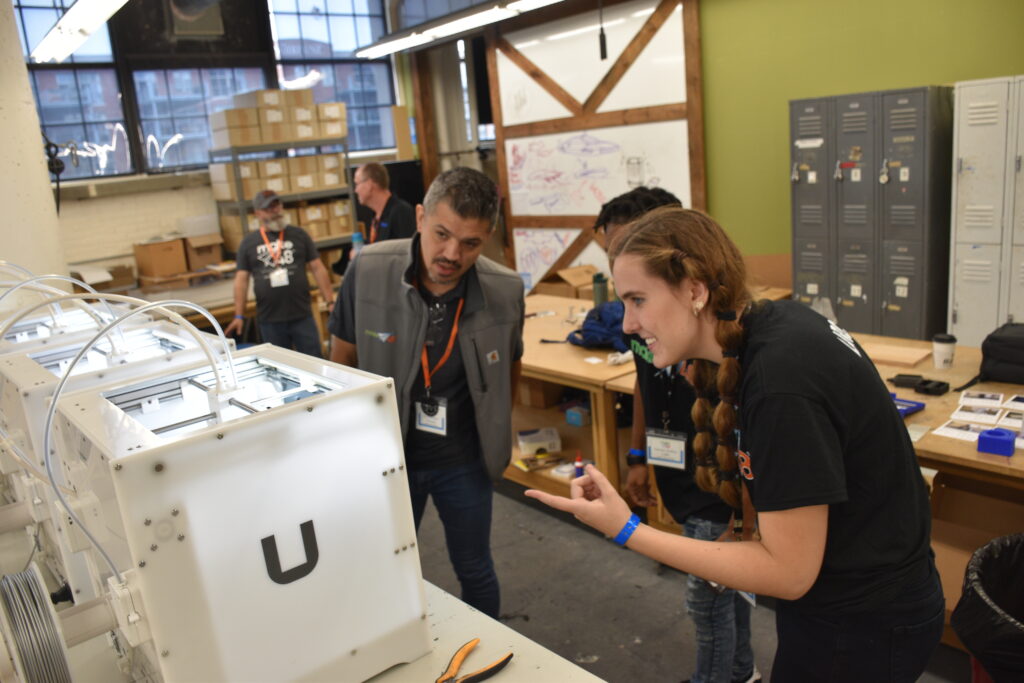
Ultimaker and MakerBot, two of the most trusted names in 3D printing, are bringing their expertise and industry-leading technology to Make48. Participants will have the opportunity to utilize makerbots precise and user-friendly 3D printers, and 2 engineering mentors from Ultimaker’s team to help guide participants with tips and tricks when using the 3D printers. With these advanced tools at their disposal, teams can turn ideas into reality faster than ever before.
The Impact of This Partnership
By sponsoring Make48 we’re investing in the future of design, engineering, and manufacturing. This competition provides an invaluable learning experience, teaching participants about rapid prototyping, iteration, and the importance of creative problem-solving. Equipping the participants with the skills and confidence to bring their ideas to life will encourage the next generation of entrepreneurs and product developers to bring their ideas to market. This is also a great opportunity for educators to see the real impact tools like 3D printing can have in real time and to encourage access to STEM tools in their institutions.
Join Us for an Exciting Year of Innovation
Make48 2025 is set to be an incredible experience and opportunity to its participants. As a sponsor, Dynamism is proud to be part of this journey, empowering makers to push the boundaries of innovation. Stay tuned for event updates, behind-the-scenes insights, and highlights from the competition. Follow make48 on social media @gomake48 and visit the make48 website to learn more about this exciting program.